
Jardic Pro 11.11
2024年05月31日アップデート実施

ダウンロードしたファイルを実行して、Jardic Proのインストール手順に従ってください。
プログラムは、電子署名で保護されており、広告や悪意のあるソフトウェアが含まれていません。
プログラムをインストールしたら、 ボタンを押して、
 の付いた新しいバージョンの辞書をインストールします。
Jardic Pro機能
- 常時インターネットは不要です
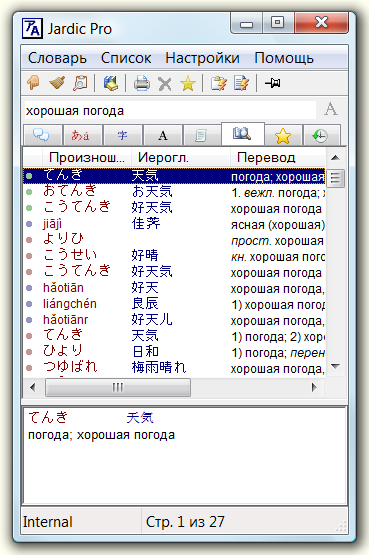
- 複数の日本語・ロシア語、および日本語・英語辞書の同時検索ができます
- 日本語文章の単語の翻訳リストが得られれます
- 複数言語テキストが並記された本を読めます
- Word, ChromeとEdgeで、マウス・カーソル位置の単語翻訳が可能
- 個人辞書作成用の便利なエディターもあります
Jardic Proインストール後、追加辞書をダウンロードすることが出来ます。
詳細情報
- Jardic Pro について
- 追加辞書をダウンロード
- プログラマー向け。Jardic Pro ソースコード (20Mb, C++, VS 2017)。ダウンロード。
バージョンの変更
バージョン11.11、2024年05月31日
- カーソル下の単語翻訳が無効になっていたバグを修正。
バージョン11.10、2024年05月27日
- 一部のオンライン辞書のアドレスを修正しました。
バージョン11.9、2024年05月12日
- 辞書切り替え機能のバグを修正。
バージョン11.8、2024年04月30日
- かなとギリシャ文字による単語検索のバグを修正。
バージョン11.7、2024年04月22日
- サイトのHTTPSプロトコルへの移行に関連し、辞書リストの取得など。
バージョン11.6、2024年03月31日
- 東洋辞書を使用する際のマイナーエラーを修正しました
- ラテン語辞書に関する主な変更点
© Vitaly Zagrebelny, 2002-2025